User Manual - NUCOUN VS-35 Mixed Denomination Money Counter Machine
Product Model: NUCOUN VS-35
ASIN: B0DBQKG3TR
1. Product Overview
This product is a smart electronic device designed for home and personal use. It integrates hardware control with software-based configuration, allowing users to operate and manage the device efficiently through physical controls and optional mobile applications.
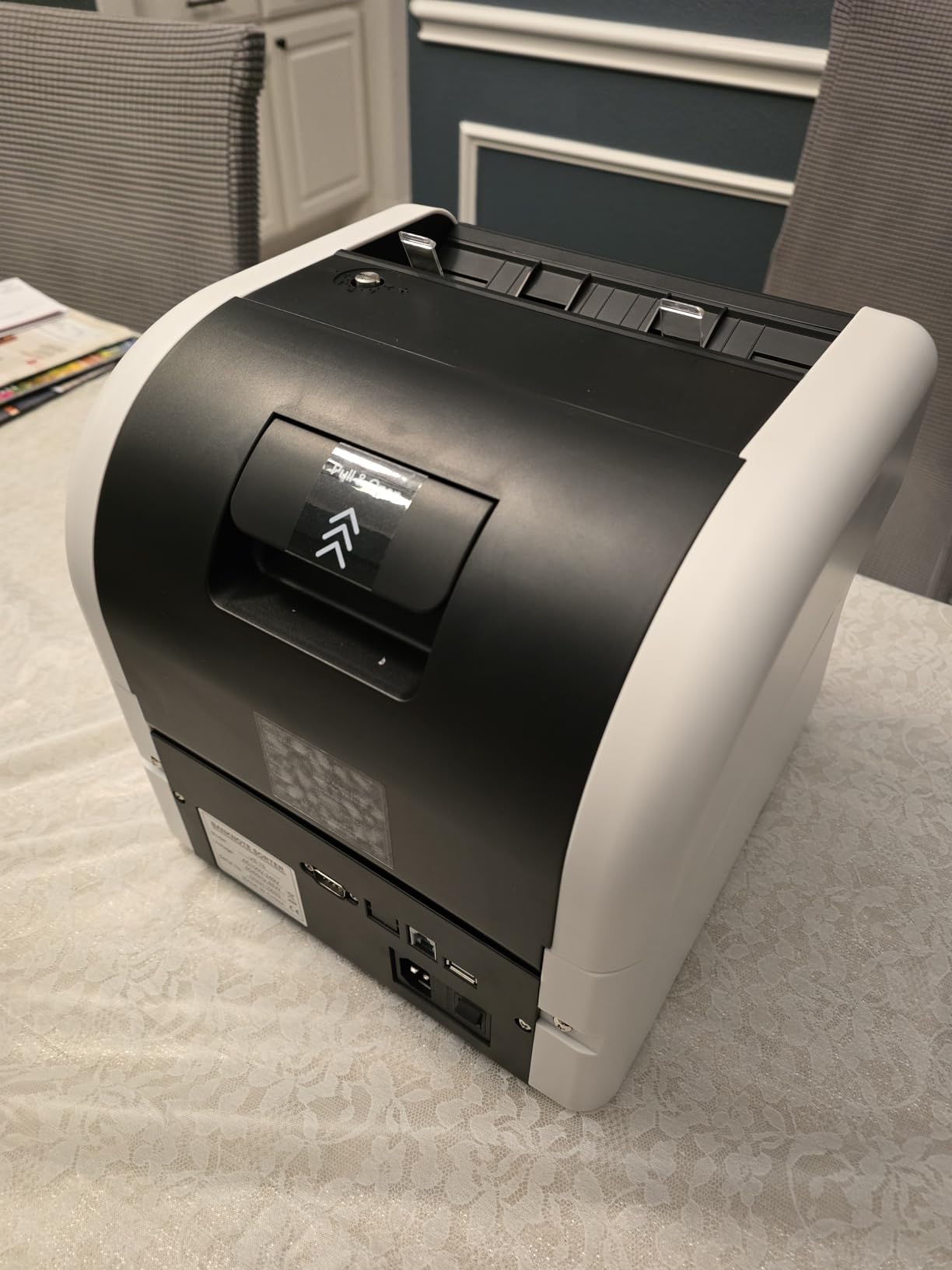
2. What’s in the Box
- Main device unit
- Power adapter / power cable
- Mounting or installation accessories (if applicable)
- User documentation
3. Product Features
3.1 Two-Pocket Sorting Operation

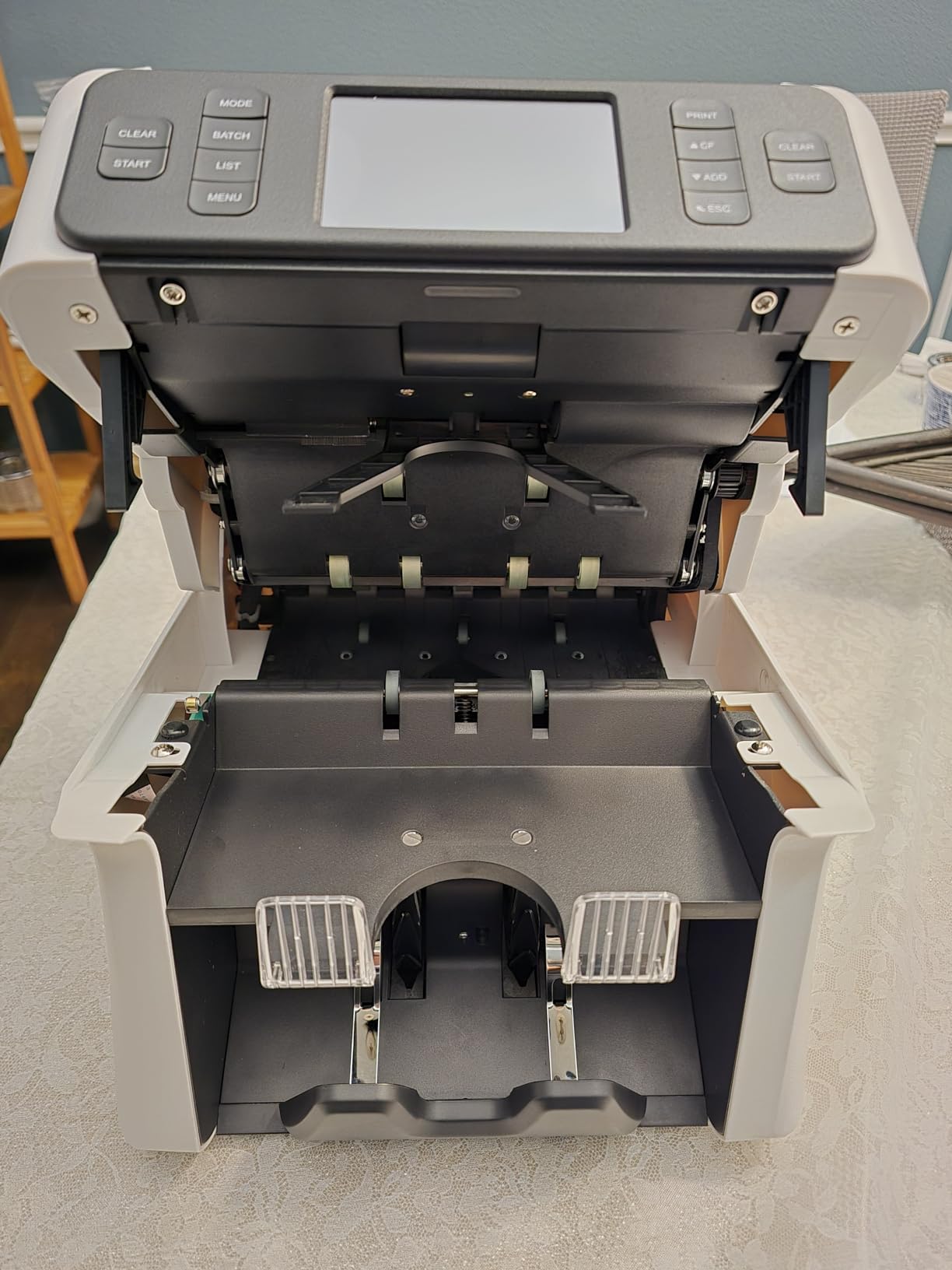
NUCOUN VS-35 is designed with a two-pocket structure consisting of a main counting pocket and a reject pocket. This design allows the machine to continue counting without interruption when encountering non-matching banknotes.
- Main pocket: counts valid banknotes continuously
- Reject pocket: diverts bills with different denomination, orientation, face, or currency
Compared with single-pocket value counters that stop upon detecting an abnormal bill, the two-pocket sorting mechanism significantly improves counting efficiency in mixed-denomination environments.
3.2 Mixed Denomination Sorting & Reject Handling


When operating in SORT mode, the VS-35 automatically analyzes each banknote. Bills that do not match the current sorting criteria are redirected to the reject pocket, while valid bills continue to be processed.
This function supports sorting by:
- Denomination
- Banknote face
- Orientation
- Currency type
3.3 Counterfeit Detection (BLINK CIS Technology)

The VS-35 uses BLINK CIS (Contact Image Sensor) technology for counterfeit detection. Each banknote is scanned using dual infrared wavelengths:
- 850 nm infrared detection
- 940 nm infrared detection
This dual-layer infrared analysis enhances accuracy when identifying counterfeit or suspicious banknotes, making the device suitable for professional cash-handling environments.
3.4 Touchscreen User Interface & Data Management


The VS-35 is equipped with a 4-inch color touchscreen. The interface provides clear access to counting modes, currency selection, and sorting parameters.
Counting results can be exported using PC software or printed via compatible NUCOUN thermal printers, allowing transaction tracking and record keeping.
3.5 Counting Modes & Multi-Currency Support

The VS-35 supports multiple counting and sorting modes, including:
- Mixed denomination value counting
- Single denomination value counting
- Automatic currency recognition
- Denomination detection
- Face and orientation sorting
- Preset batch quantity or value
- Accumulated counting mode
The system supports up to four currencies, including USD, EUR, MXN, and CAD.
3.6 Maintenance Access & Software Upgrades


The front panel of the VS-35 can be fully opened, providing direct access to the internal passage. This design simplifies routine cleaning and maintenance.
The system also supports software upgrades for:
- New currency releases
- Customized sorting rules
- Performance improvements
4. Installation, Setup & Configuration
4.1 Installation & Initial Placement
Place the VS-35 on a stable, flat surface capable of supporting the machine’s weight and vibration during operation. Ensure sufficient clearance around the device to allow proper airflow and access to the front opening panel.
- Recommended environment: indoor, dry, dust-free
- Keep away from direct sunlight and heat sources
- Do not place near magnetic or high-vibration equipment
4.2 Power Connection & Startup
Connect the power cable to the rear power port of the VS-35 and plug it into a grounded AC outlet. After powering on, the machine performs a brief self-check before entering the main interface.
- Ensure voltage compatibility before connection
- Do not power on while internal passages are open
- If abnormal noise or error occurs, power off immediately
4.3 Touchscreen Interface Overview
The VS-35 uses a 4-inch color touchscreen as the primary control interface. All counting modes, currency settings, and sorting parameters are configured directly on this screen.
Main interface functions include:
- Counting mode selection
- Currency selection
- Sorting rules configuration
- Batch and accumulation settings
- System status and error display
4.4 Counting Mode Configuration
Users can configure counting behavior based on operational requirements. The VS-35 supports multiple counting modes selectable from the touchscreen menu.
- Mixed Denomination Value Counting: Automatically recognizes and sums different denominations
- Single Denomination Counting: Counts quantity and value of a single denomination
- Batch Mode: Stops or flags when preset quantity or value is reached
- Accumulation Mode: Adds multiple counting sessions together
4.5 Currency Selection & Recognition Settings
The VS-35 supports automatic and manual currency selection. Up to four currencies are supported, including USD, EUR, MXN, and CAD.
- Auto currency recognition mode for mixed environments
- Manual currency lock for controlled counting
- Denomination, face, and orientation detection per currency
Incorrect currency selection may result in frequent reject events or counting errors.
4.6 Reject Pocket & Sorting Rules Setup
Sorting rules define how the VS-35 handles non-matching or abnormal banknotes. When enabled, bills that do not meet criteria are diverted to the reject pocket.
Sorting conditions include:
- Different denomination
- Incorrect face
- Incorrect orientation
- Different currency
4.7 Counterfeit Detection Settings
The counterfeit detection system is enabled by default and operates using BLINK CIS technology. Users may adjust detection sensitivity depending on operational requirements.
- Dual infrared detection (850 nm and 940 nm)
- Automatic suspicious bill rejection
- Error alerts displayed on screen
4.8 PC Software Connection (No Mobile App)
The VS-35 does not support mobile applications. Data management and reporting are handled via dedicated PC software.
Using the PC software, users can:
- Upload counting records to a computer
- Store and manage transaction history
- Print reports using compatible NUCOUN thermal printers
PC software installation and updates are provided by the manufacturer. Operating system compatibility and connection methods depend on the software version.
4.9 Software Updates & Customization
The VS-35 supports software upgrades for new currencies, performance improvements, and customized counting rules.
The front-open design allows easy access for maintenance and update procedures. Users should follow manufacturer instructions when performing software updates.
Your browser does not support the video tag.
8. Frequently Asked Questions (FAQ)
Q1: The device does not power on. What should I do?
Check the power connection, adapter compatibility, and ensure the outlet is working.
Q2: Can I use the device without the mobile app?
Yes. Basic functions are available through the physical controls.
Q3: How do I update the software?
If supported, software updates can be performed via the mobile app or device menu.
Q4: Where can I get support?
Please contact the seller or manufacturer support through Amazon.